
Many businesses blame hosting speed, heavy designs, and plugins for a weak website loading. The actual issue is the server’s location. Each time a visitor opens a website, their computer sends a request to the website’s server. The longer the distance, the higher the chances of delay in page loading. This delay in time is called latency.
Latency not only affects speed. It also affects other aspects of the business, such as.
- User experience
- Conversion rates
- SEO performance
- Video call performance
- Responsive gaming
- SaaS apps
Choosing an appropriate location for your server will reduce loading time without changing the design of your website or upgrading to expensive hardware.
Latency Explained…
Latency measures the time needed for data to travel from a user to a website server & back. Researchers measure latency in milliseconds(ms).
Common latency ranges are:
- less than 20ms=Immediate response
- between 20 to 50ms=Very quick response
- between 50 to 100ms=Fairly fast response
- more than 150ms= Noticeable lag
That means if your client is in India but your server is based in Europe, the data between these two locations will travel thousands of kilometers before the loading of page.
Why Server Location Matters?
A lot of companies are upgrading their RAM and CPU with the expectation of improving the speed & performance. But if the server is located far away from the user, the delay in loading will continue. A server located in Mumbai with average hardware will perform better than a server located in the U.S. with premium hardware for Indian customers.
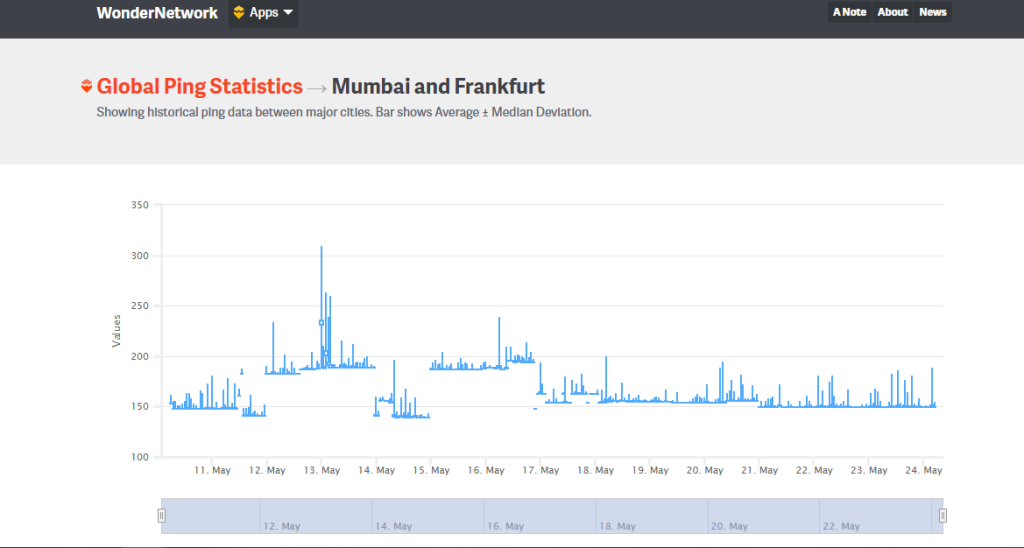
Image: Real-time latency variation b/w Mumbai & Frankfurt
For example,
An Indian education website moved its server hosting from London to Mumbai. They observed, the page loading time improved slightly & the interruptions in the live sessions decreased significantly because of stable latency. It also led to improvements in:
- video conferencing
- gaming
- payment gateways
- real-time dashboards
- application of AI
You can also checkout our guide to how to choose the right RDP plan based on server region & user location.
The Biggest Hosting Mistake People Make
When selecting a hosting plan, most people make decisions based on:
- the cost of hosting
- size of storage
- brand reputation
- unlimited pricing plans
However, the first thing you must do is research the user’s location. For this, you can use some prominent search tools such as Google Analytics, Cloudflare Analytics, & Search Console.
Search :
- Where the top countries are?
- Where the top cities are located?
- How many mobile & desktop users are there?
Hosting in the U.S. is not a good choice if the majority of traffic comes from India because of latency issues.
Region-wise best server locations
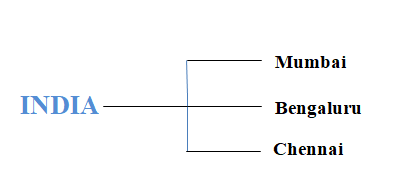
Mumbai continues to be one of the strongest hub networks in the world today because of the robust series of international submarine cables linking them.
Unknown Fact:
As per the research, the traffic from Dubai to Mumbai travels much faster than the traffic from Dubai to Singapore because of the direct fiber cable route.
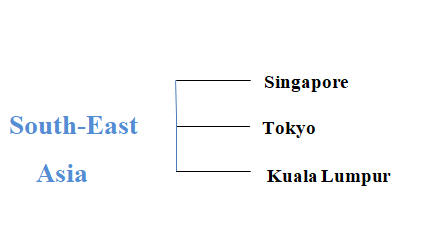
Many Asian broadband suppliers connect directly to Singapore, making it a popular choice for connectivity in Asia. But few Indonesians have experienced low latency from Kuala Lumpur because of their regional IP routing through Malaysia.
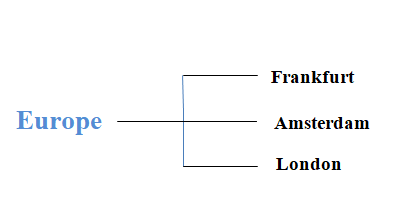
Frankfurt is comparatively a strong market as it is the largest provider of Internet Exchange Points (IXP) in the world.
CDN’s Limitations To Address Latency
A CDN assists with the efficient delivery of images, videos, CSS files, & scripts. And, the main server processes:
- Database requests
- Live chats
- Payments
- APIs
- & logins; which means the location of the backend server is still important.
For e.g., a CDN can load product images quickly for an online store, but if its payment processing server is a far distance from its customers, it may cause slower checkout times.
The Network Route Factor
Latency is more than just physical distance. Network layout is also a crucial factor. The path that internet traffic follows comprises:
- Fiber optic routes
- Partnerships between ISPs
- Internet exchanges
- Network congestion
Because of these factors, a server application that is physically closer to a user can sometimes respond slowly than an application that is far away.
For e.g., a server in Thailand may respond slower to an Indian user than that of a server based in Dubai because the routing between Dubai and India is more optimized.
Steps to Find the Best Server Location
Step 1: To begin with, shortlist locations nearest to your server, for e.g., Mumbai, Singapore, & Frankfurt.
Step 2: Conduct latency tests. You can use CloudPing & Pingdom to monitor average response time.
Step 3: Try to conduct tests during peak hours, as latency fluctuates during evening time, streaming hours, & office hours.
Step 4: Check mobile performance. A large number of people in India use mobile phones to access websites. A server that runs on broadband is likely to run differently on a 4G or a 5G network.
Best Gaming Server Location
To ensure proper latency in gaming, the server must be stable. Latency recommendations per game type are:
- Casual gaming – less than 80ms
- Competitive gaming-less than 50ms
- Esports-less than 20ms
The latest trend emphasises on latency as opposed to maximizing the number of responses from a server.
Is Your SEO Affected By The Server Location?
Yes, a server’s location can affect your site’s SEO performance indirectly. Google has transitioned towards using more engagement metrics based on user experience. Some of them are: Core Web Vitals, page speed, bounce rate, and interaction speed.
Having a closer server allows for greater consistency in the speed of loading pages, specifically for mobile users.
Why multi-region hosting is gaining popularity?
In the past, companies hosted their websites on a single server, which was fine as most users came from a single location. But today, the scenario is altogether different. Websites often receive traffic from multiple regions at the same time.
As a result, many companies have started using multi-region hosting. Multi-region hosting allows you to host your site in several server locations globally. When a user connects to the site, the system directs them to the closest server. Businesses transitioning from traditional PCs to cloud desktops often use multi-region infrastructure for better responsiveness from remote clients.
For e.g., a SaaS can use following servers:
- India- Mumbai servers
- Europe- Frankfurt servers
- United States- Virginia servers
Hidden Latency Issues to Check For……
- A poor DNS service provider
- DNS delays can increase loading time until the website opens.
- Cheap network routing plans
- Sometimes cheap hosting may provide low-quality internet routing.
- Overloaded data centers
- Busy servers may affect server response times.
- Traffic spikes from neighbours.
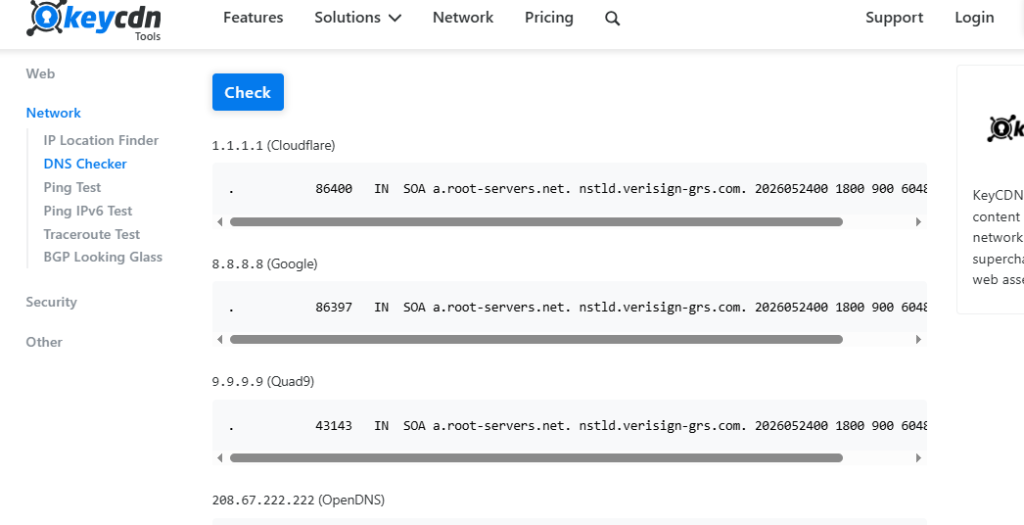
Image: DNS response check across different providers
Final Conclusion
The best server location for low latency depends on the actual location of the user. Companies should not just focus on pricing & brands, but also:
- Target audience location
- Network routing around the world
- Latency test in the real world
- Mobile speed
By placing servers in the right locations, you can guarantee a better experience for your clients, improve your website’s SEO performance, and increase sales without investing in expensive infrastructure.
Frequently Asked Questions
Q. How can I locate the best location to host my server?
A. Firstly, check the Google analytics data of your website & check from which locations you are receiving maximum traffic. Run latency tests using tools like Pingdom & CloudPing.
Q. How much latency is usually considered good for websites?
A. For most websites, a latency below 50ms is fairly good. For gaming and video calling, latency should be less than 20ms.
Q. Which location server has lowest latency in India?
A. Mumbai is considered the best location in terms of having lowest latency in India.